
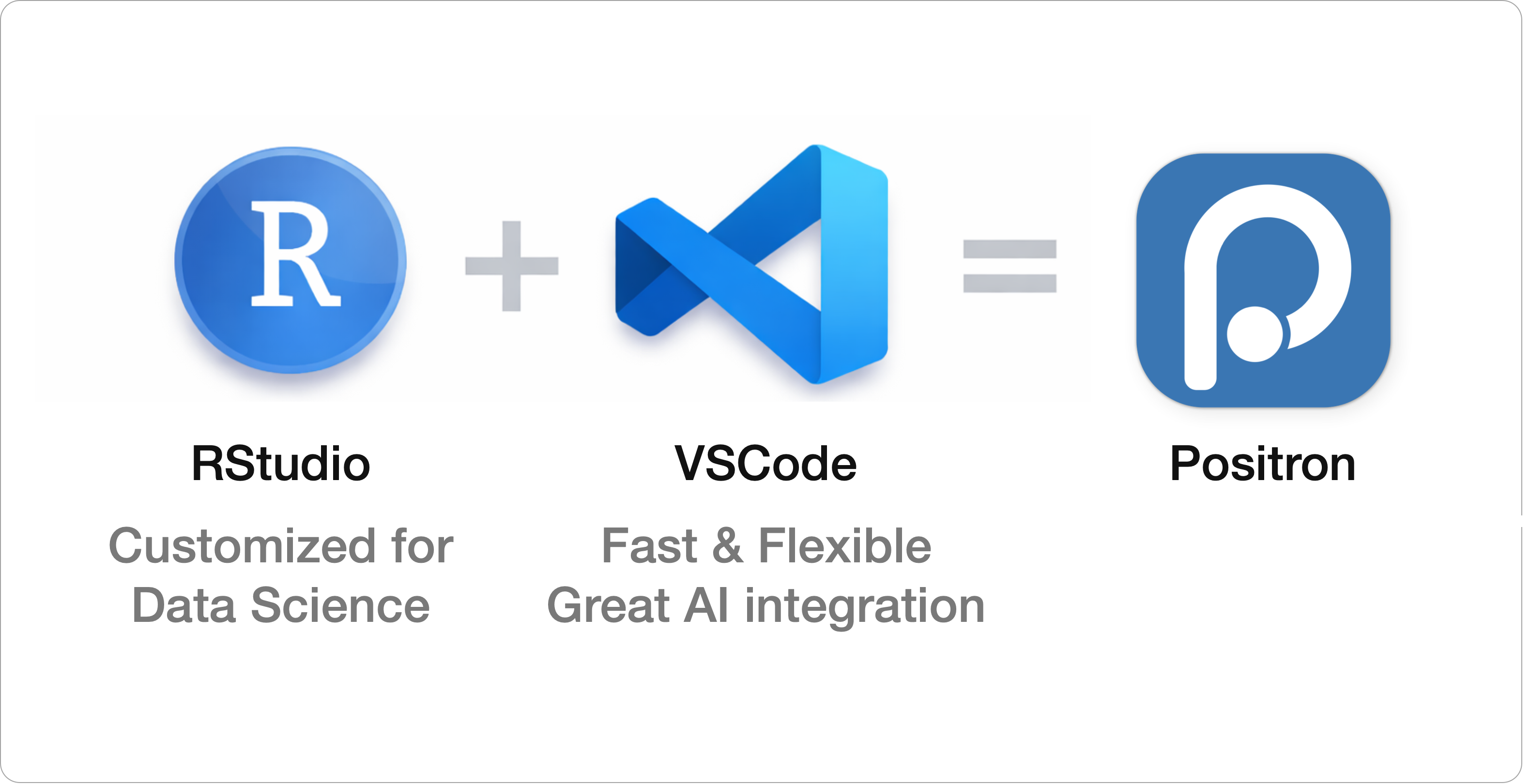
Positron is an IDE designed specifically for data science, created by Posit, the same company behind RStudio.
IDE: Integrated Development Environment - Essentially a powerful code editor with lots of features to help you in the coding process.
Under the hood, Positron is built on the same core technology as VS Code, a popular general-purpose editor known for its speed, flexibility, and extensibility. Because of that, Positron feels modern and responsive, while still being purpose-built for data analysis.
If you’re already comfortable in RStudio and/or VS Code, you’ll feel right at home in Positron. It effectively combines the familiar, data-focused workflow of RStudio with the modern editor experience of VS Code, all with a clear emphasis on data science tasks.
One major advantage for users coming from RStudio is Positron’s seamless integration of AI code assistance. While RStudio does support some AI features, Positron offers a much deeper and more cohesive experience, with AI tools woven directly into everyday workflows.
Another big plus is how easily Positron supports working with both R and Python. If your data science work spans both languages, Positron makes it straightforward to move between them within the same environment.
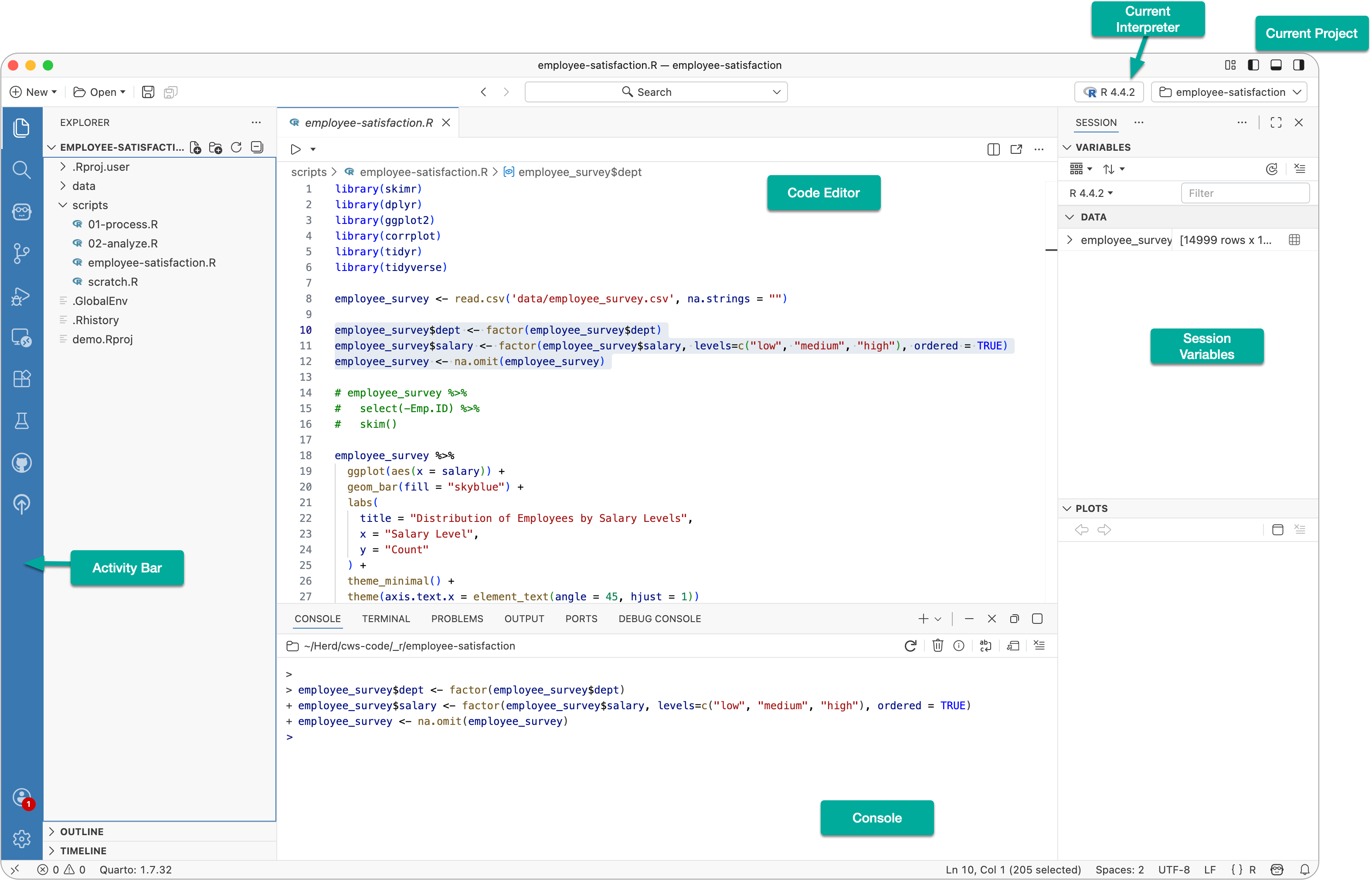
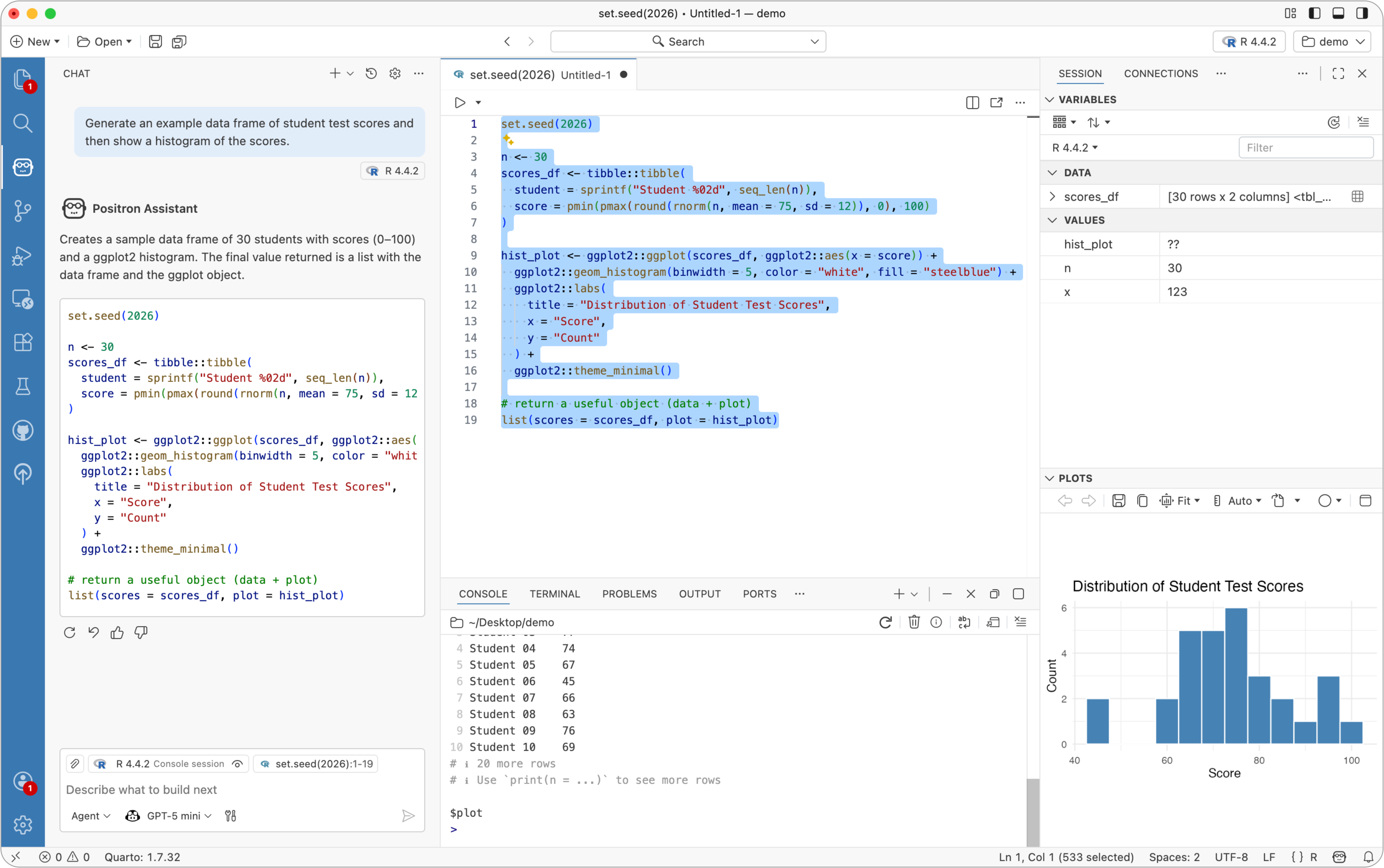
As mentioned earlier, Positron supports multiple R and Python interpreters. The currently active interpreter is shown in the upper-right corner, and you can easily switch between interpreters as needed.
On the left, the activity bar provides access to features such as the file explorer, search, and Positron Assistant, which is the built-in AI chat feature (more on that shortly).
The primary sidebar changes depending on what you select in the activity bar.
In the center is the code editor, where you write and edit your scripts and notebooks.
At the bottom, you’ll find the console and the terminal.
On the right is the secondary sidebar. This is where you see loaded variables, plots, help files, and related outputs. It closely mirrors the panes you may be familiar with on the right side of RStudio.
Opening a folder in Positron creates a workspace and sets the working directory, similar to opening an RStudio Project.
For this demo, instead of opening an existing folder, I’ll create a new one by choosing New > New Folder From Template and selecting the R Project template.
I’ll name the project demo, place it on my Desktop, and create it using my system’s default version of R.
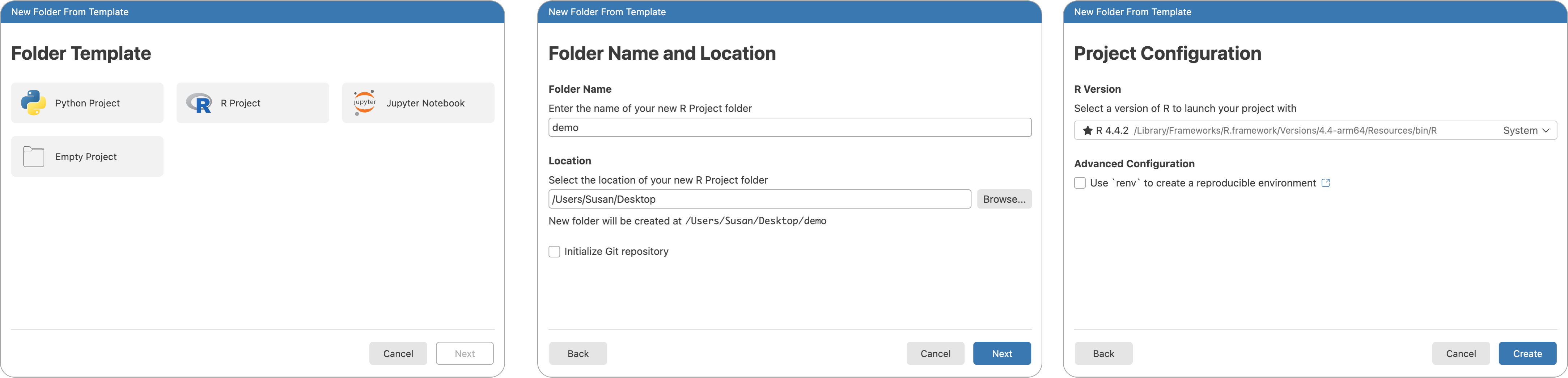
When prompted, I’ll open the newly created project.
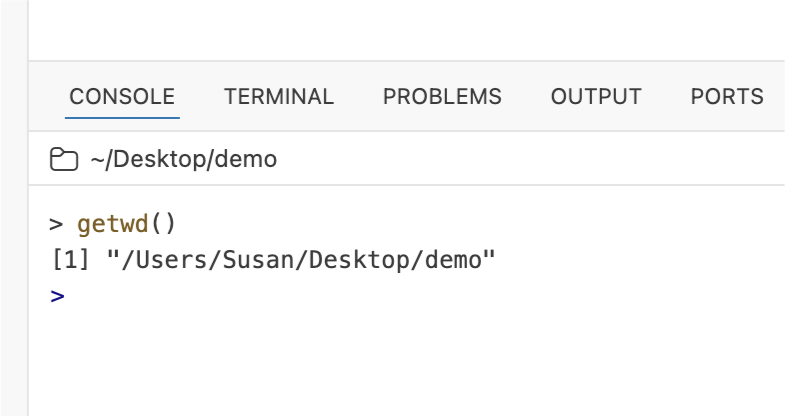
In the console, I can run the getwd() command to confirm that the working directory has been set automatically.
In the code editor, I can begin writing code. Just like in RStudio, I can source the entire file or run code one line at a time.
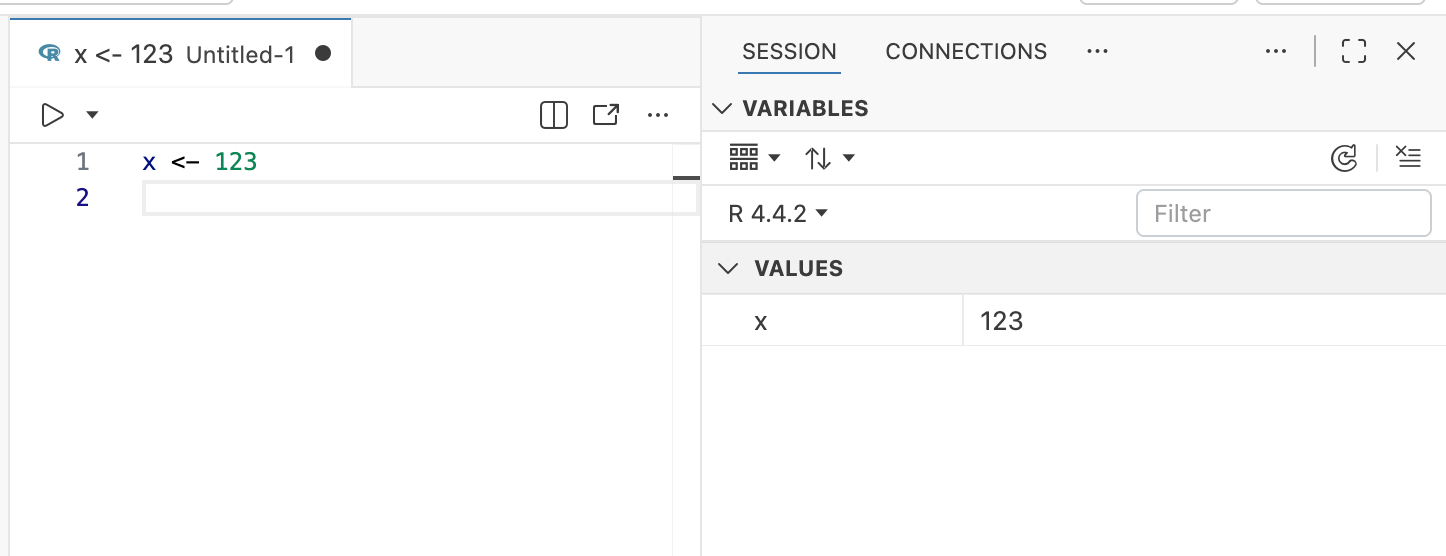
As I define objects, they appear under Session Variables, which is equivalent to the Environment pane in RStudio.
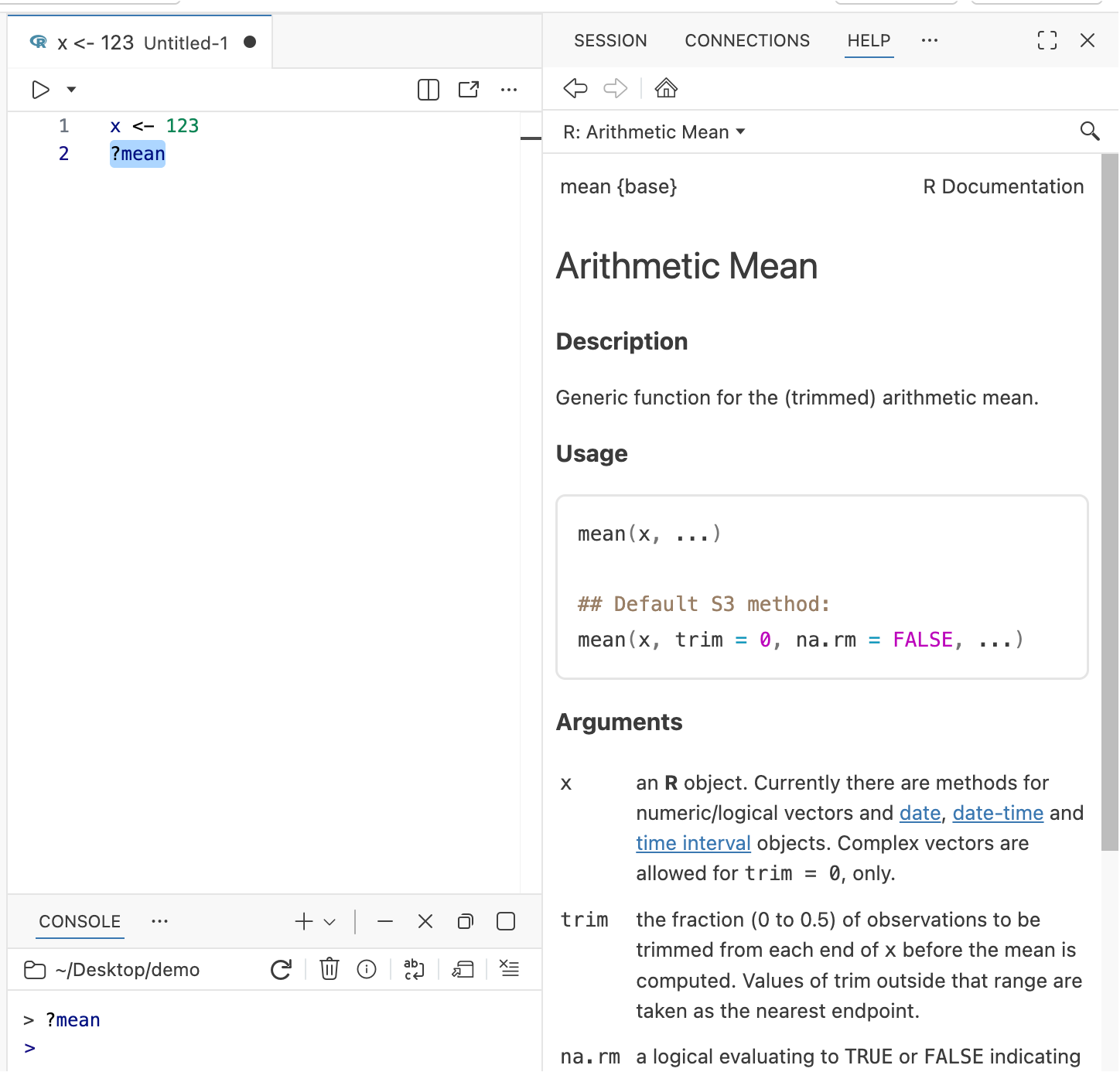
Just like in RStudio, you can pull up documentation for R or Python functions directly within the IDE by prefixing commands with a question mark, e.g. ?mean.
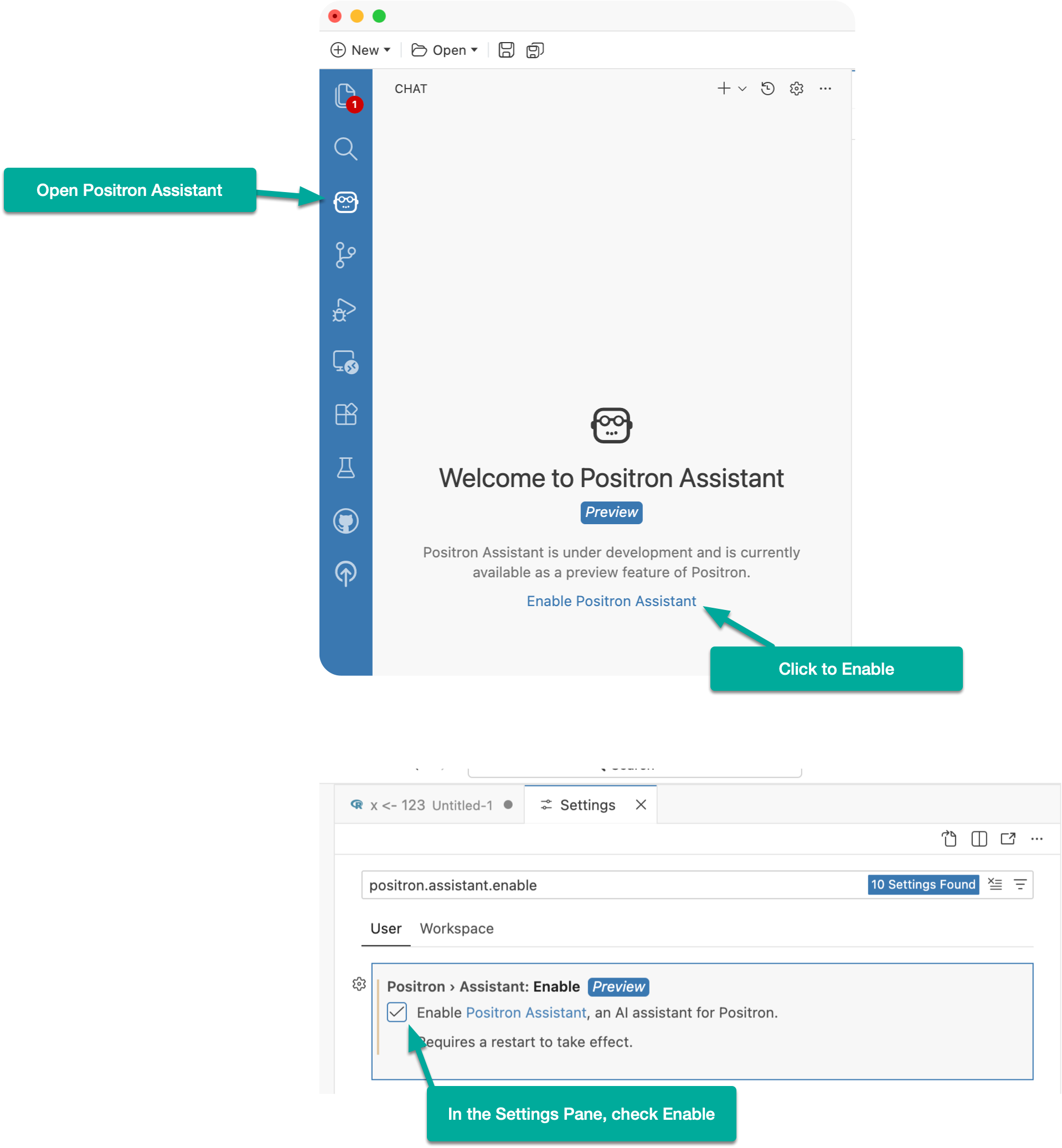
To access Positron Assistant, click the robot icon in the activity bar.
In the chat panel, click Enable Positron Assistant.
In the settings window that appears, check Enable Positron Assistant and close the settings panel.
Back in the chat panel, click Add a Chat Provider.
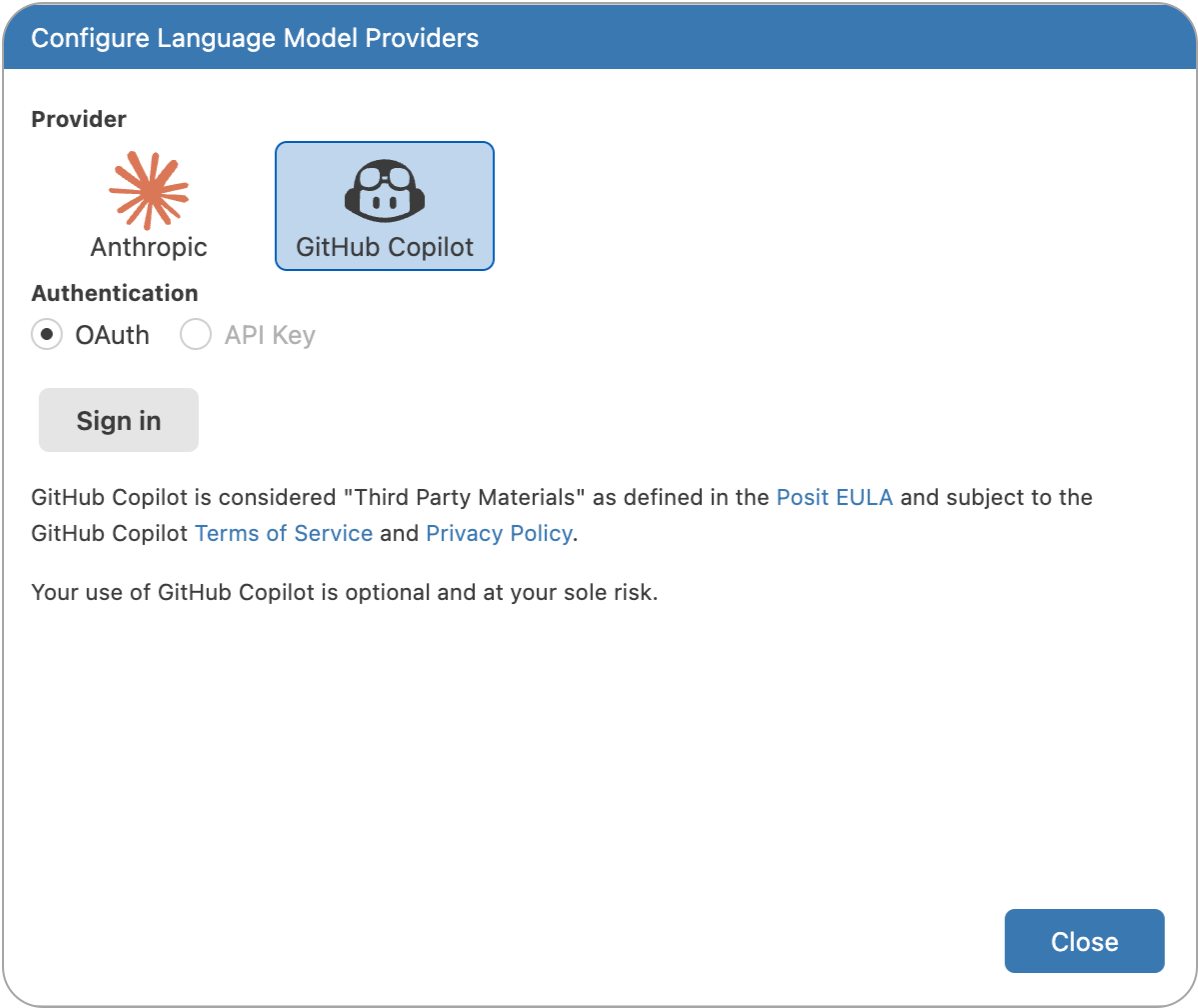
Choose a provider. In this demo, I’ll use GitHub Copilot and follow the prompts to sign in.
During authentication, you may see a message saying “Authorize Visual Studio Code.” This is expected, since Positron is built on top of VS Code.
Once authorization is complete, Positron will prompt you to reload. After reloading, you should see an active and ready chat panel.
To test things out, re-open the project or workspace created in the previous section.
Then, in the chat panel, try the following prompt:
Generate an example data frame of student test scores and then show a histogram of the scores.
Run the provided code and observe how the resulting plot appears in the right-hand pane.
Overall, Positron feels like a natural evolution of the data science IDE. It preserves the familiar workflows that R users know from RStudio, while adding the flexibility, modern editor features, and AI integration of a VS Code based environment.
No subscriptions, no auto-renewals.
Just a simple one-time payment that helps support my free, to-the-point videos without sponsered ads.
Unlocking gets you access to the notes for this video plus all 200+ guides on this site.
Your support is appreciated. Thank you!
 Fully Remove Positron from Windows (Clean Reinstall Guide)
 How to Create Quarto Documents in Positron
 Git Version Control in Positron