
If you’re working in RStudio and see the error "cannot change working directory" after using setwd, the most common cause is that the directory you are trying to access does not exist or the path is incorrect.
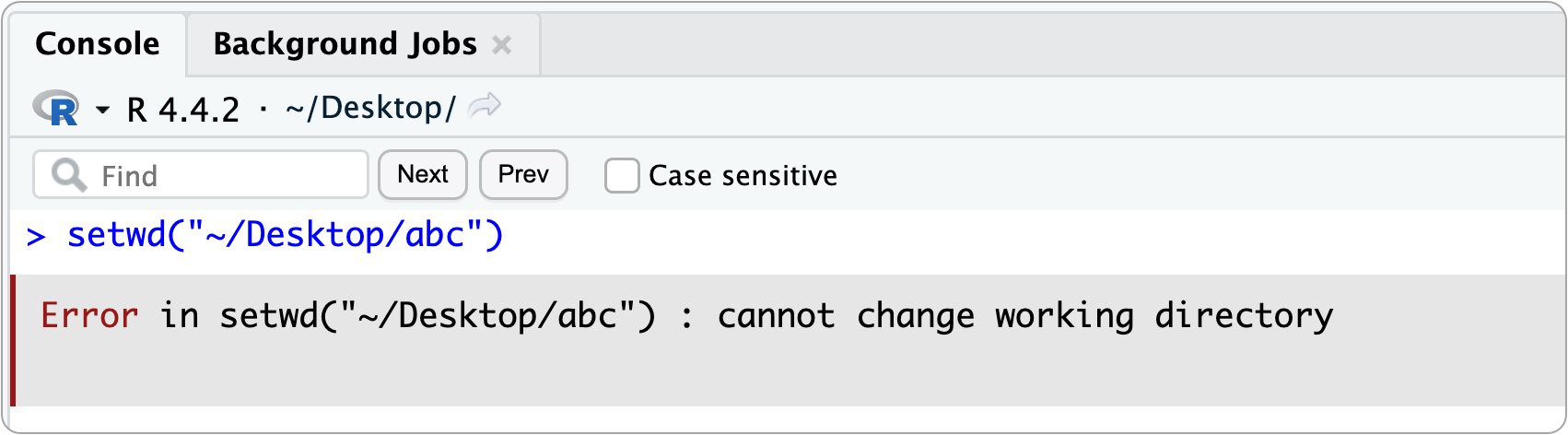
This error means R cannot find the folder you specified, or it does not have permission to access it.
To troubleshoot, start by checking the parent directory where you believe the folder should exist. You can do this using your computer’s file browser, or directly in R with list.files().
list.files("~/Desktop", full.names = TRUE)
Example output:
[1] "/Users/Susan/Desktop/$RECYCLE.BIN"
[2] "/Users/Susan/Desktop/cleanup"
[3] "/Users/Susan/Desktop/desktop.ini"
[4] "/Users/Susan/Desktop/Thumbs.db"
From this output, we can see that there is no folder named abc on the Desktop, so it makes sense that setwd() failed.
If the directory does not exist, you can create it either through your operating system’s file browser or directly in R using dir.create().
dir.create("~/Desktop/abc")
After creating the folder, you can confirm it exists by running list.files() again or simply retry the original command:
setwd("~/Desktop/abc")
This time, it should work without error.
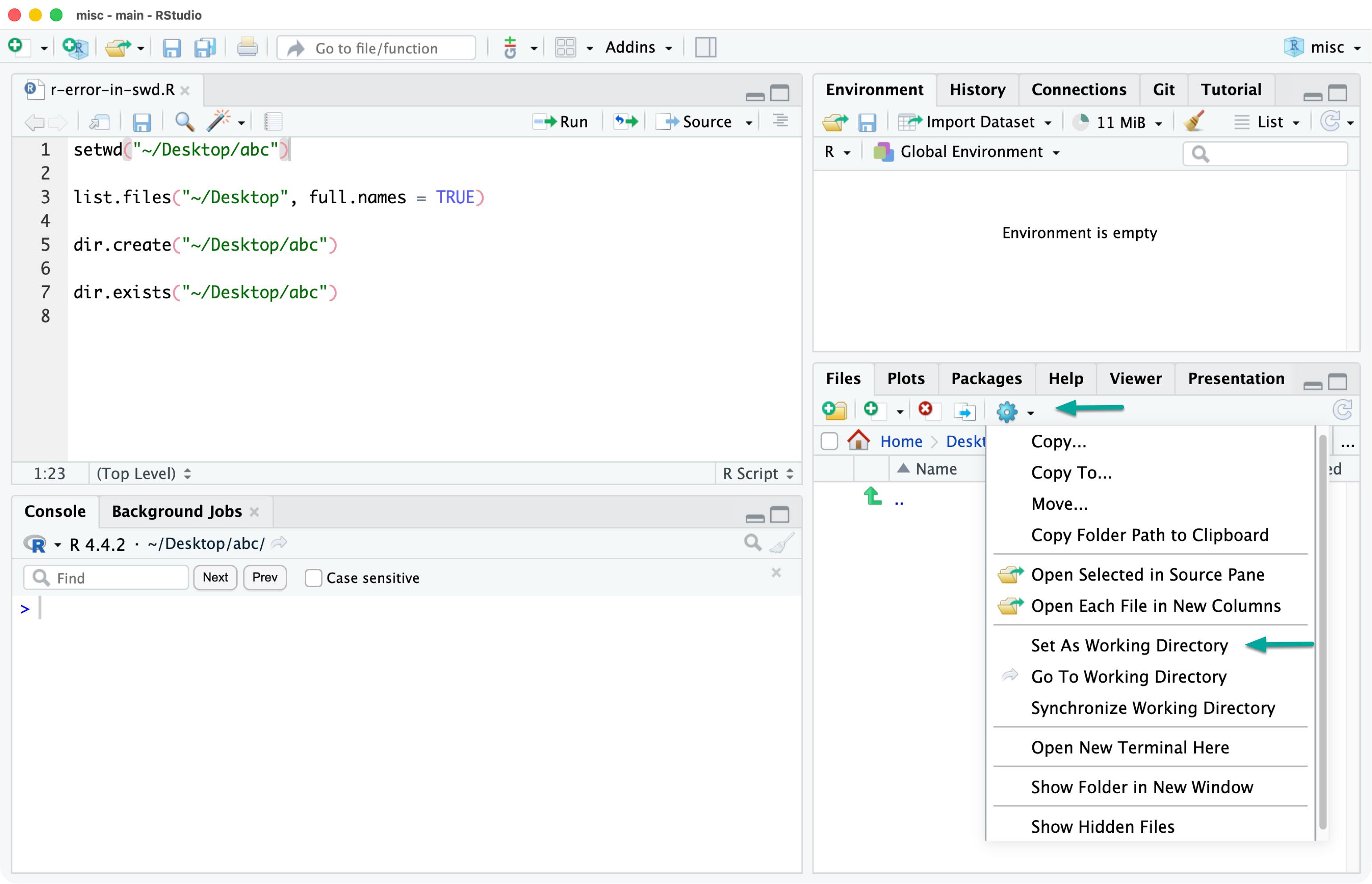
If you want to be sure the path to your target directory is correct, navigate to that folder using RStudio’s Files pane. Once you are in the correct location, click the gear icon and select Set as Working Directory.
RStudio will run the setwd() command for you, automatically inserting the correct path for the directory you are currently viewing. This removes guesswork and helps prevent path-related errors caused by typos or incorrect directory names.
Rather than relying on setwd(), it is usually better to work inside an RStudio Project. RStudio Projects automatically set the working directory for you based on the project’s location and help keep files organized and portable.
Using projects avoids path-related errors altogether and is the recommended workflow for most R work, especially as projects grow in size or complexity.
No subscriptions, no auto-renewals.
Just a simple one-time payment that helps support my free, to-the-point videos without sponsered ads.
Unlocking gets you access to the notes for this video plus all 200+ guides on this site.
Your support is appreciated. Thank you!
 R Quick Start
 Simple setup for R in VSCode instead of RStudio (Mac)
 R for Data Science - Introduction (1)