
After deleting a large number of files from one of my Amazon S3 buckets, I expected the storage size to drop significantly. Instead, the bucket was still sitting at ~230GB.
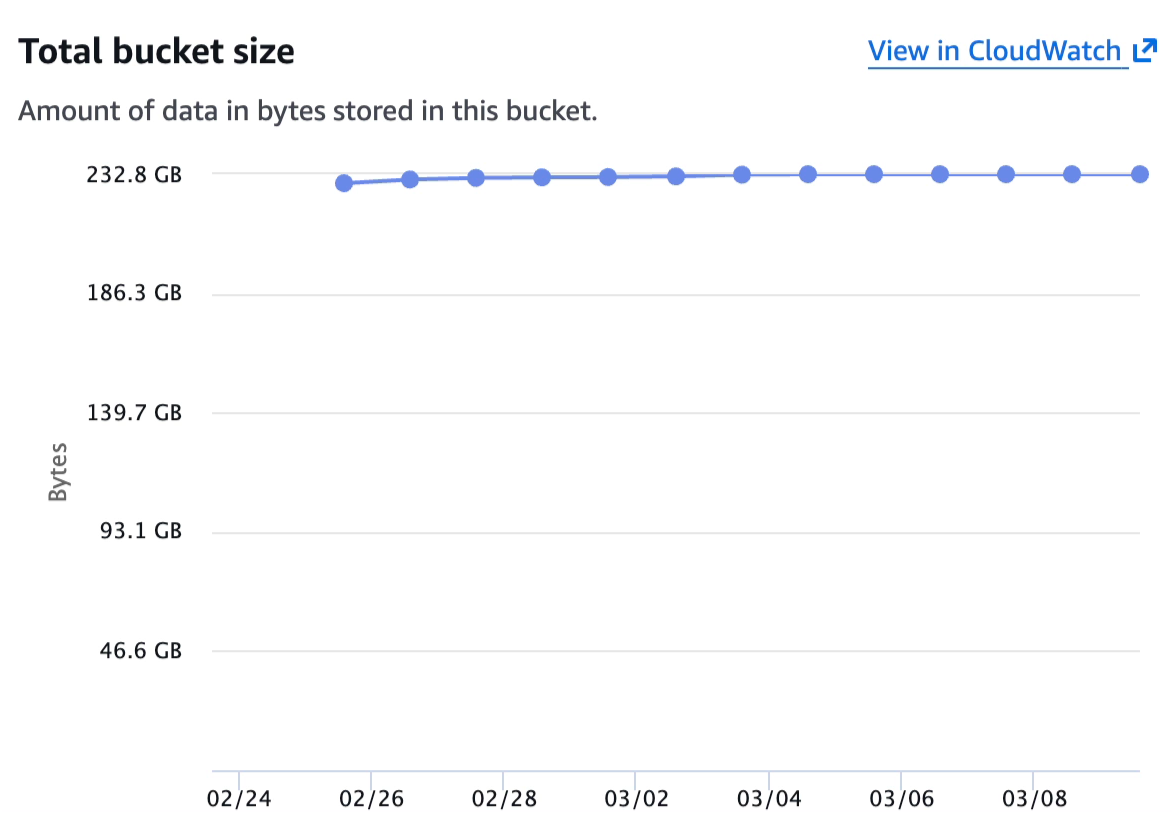
I checked the size over a period of time, because I had read that sometimes the metrics is delayed 24-48 hours, but even after several days, the size was not dropping.
After digging deeper, I discovered that bucket versioning was enabled. This meant that even though I had deleted many files, S3 was still retaining older versions of those objects. Deleting the current version does not automatically remove previous versions.
To confirm this, I ran the following aws s3api list-objects-v2 command to list the current objects in the bucket:
aws s3api list-objects-v2 \
  --bucket YOUR_BUCKET \
  --output json \
  --query "Contents[].Key" | jq length
This returned 1,683, so only 1,683 current objects were present.
Next, I checked how many noncurrent versions were still stored:
aws s3api list-object-versions \
  --bucket YOUR_BUCKET \
  --query "length(Versions[?IsLatest==\`false\`])"
This yielded a much higher number: 155545.
So there was the issue: Even though I had cleaned up the bucket, S3 was still storing 155,545 noncurrent object versions.
To resolve this, I needed to:
Navigate to Properties > Bucket Versioning and disable versioning.
Important: Disabling versioning only affects new objects going forward. It does not remove existing noncurrent versions. That’s why the next step is necessary.
Under Management, create a new Lifecycle rule with the following details:
This rule instructs S3 to automatically remove older versions of objects.
Lifecycle rules run once every 24 hours.
On the first run, objects are marked as expired. On the second run, expired objects are deleted.
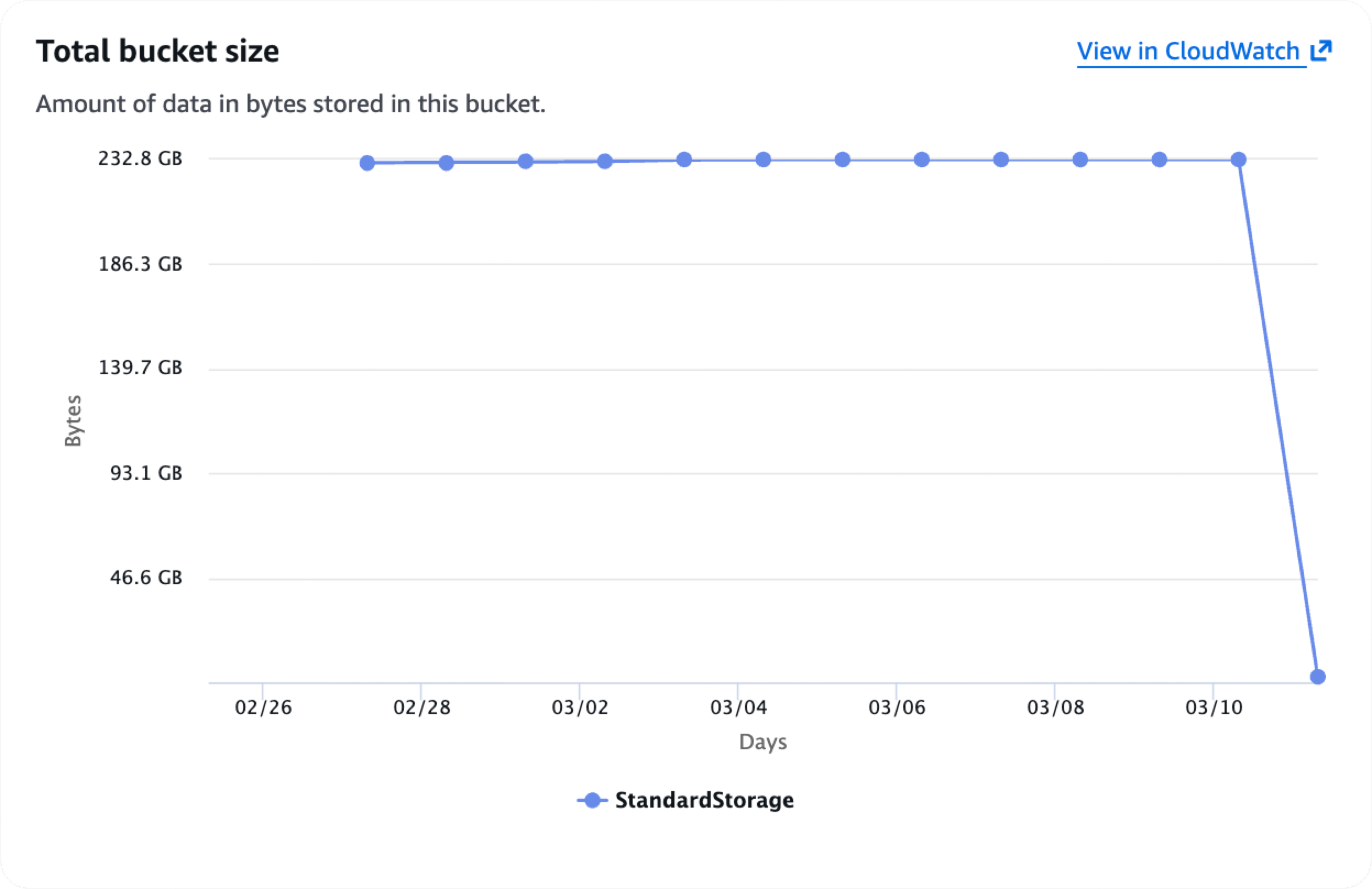
Because of this two-step process, you should expect to wait approximately 36–48 hours for storage usage to fully drop.
After the lifecycle rule ran, my bucket size finally decreased.
If you’re new to aws s3api, here’s a quick setup guide.
Follow the instructions here to install the AWS CLI...
Verify installation:
aws --version
Run:
aws configure
It will ask for:
This writes to:
~/.aws/credentials~/.aws/configIf you use SSO:
aws configure sso
aws sso login
Confirm you’re authenticated:
aws sts get-caller-identity
List buckets:
aws s3api list-buckets
List objects in a bucket:
aws s3api list-objects-v2 --bucket YOUR_BUCKET --max-keys 10
Check a specific object’s metadata:
aws s3api head-object --bucket YOUR_BUCKET --key path/to/file.csv
No subscriptions, no auto-renewals.
Just a simple one-time payment that helps support my free, to-the-point videos without sponsered ads.
Unlocking gets you access to the notes for this video plus all 200+ guides on this site.
Your support is appreciated. Thank you!
 HTTPS / SSL via “Let’s Encrypt” on a Nginx Web Server
 Rounded corners in Photoshop
 RStudio - Clear individual lines in the console